← All cases
Fabrics and haberdashery · online store

An online fabric store: by the metre, by the roll and by the piece, with online payments and receipts

Tkanevo sells fabrics for curtains, furniture and clothing, and sewing haberdashery. The store runs on the Corexy platform: a storefront with a catalogue and filters, a cart that understands metres, checkout, online payments with fiscal receipts under 54-FZ, a customer account and a panel for the catalogue, orders and warehouse stock.

What was needed

  • A catalogue of hundreds of items: every fabric comes in several colours, and every colour has its own SKU, photo, price and stock.
  • Fabrics are sold as cuts and whole rolls, haberdashery by the piece: the cart has to understand metres, the cut step and the minimum quantity.
  • Buyers choose by composition, purpose, pattern and colour: that takes filters, not just a search by name.
  • Online payment by card and the Faster Payments System with a 54-FZ receipt, and payment by invoice for companies.
  • Two warehouses and pickup: buyers see what is in stock, and ordered goods are reserved so the same cut is never sold twice.

What we built

  • A catalogue with a category tree. Each fabric model has colours with their own SKUs, photos and prices; some products have wholesale prices by quantity.
  • Filters by composition, purpose, pattern, properties and country, by colour, price, density and width, by stock, discount and new arrivals. The search by name, SKU and composition understands synonyms, typos and the wrong keyboard layout.
  • A cart that counts metres: cuts in steps, whole rolls, haberdashery by the piece. The server recalculates the total, the discounts and the stock at checkout.
  • Checkout in four steps on one page: a private buyer or a company, pickup from a warehouse, courier by zone or a carrier, the payment method and the consents required by 152-FZ.
  • Payments through YooKassa or T-Kassa, with the keys entered by the owner in the panel. 54-FZ receipts go out through the provider with the payment; refunds are made from the order.
  • Warehouses and stock: a matrix of warehouses and colours, reservations for orders, a movement log and a low-stock warning.
  • A customer account: orders and their statuses, addresses, favourites and the profile.
  • A panel: orders with their history, payments, refunds and receipts, products with bulk actions and CSV import, discounts, pages and articles.
—

What it looks like

First the storefront as a buyer sees it, then the panel where the store runs its catalogue, orders, stock and payments.
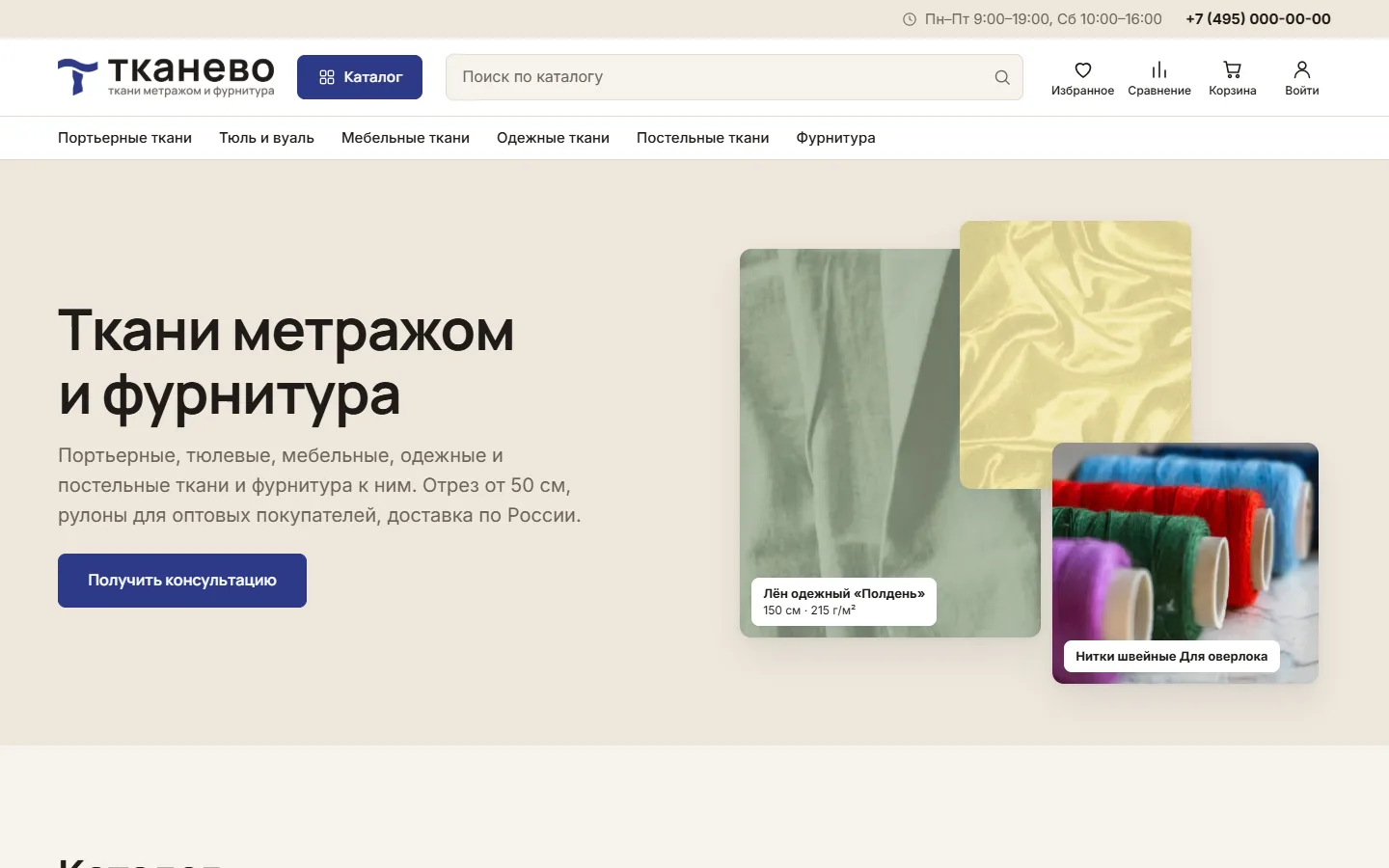
01screenshot
The store's home page: catalogue sections in the menu, search, the cart and account sign-in. The first screen and the blocks below are edited in the panel.
02screenshot
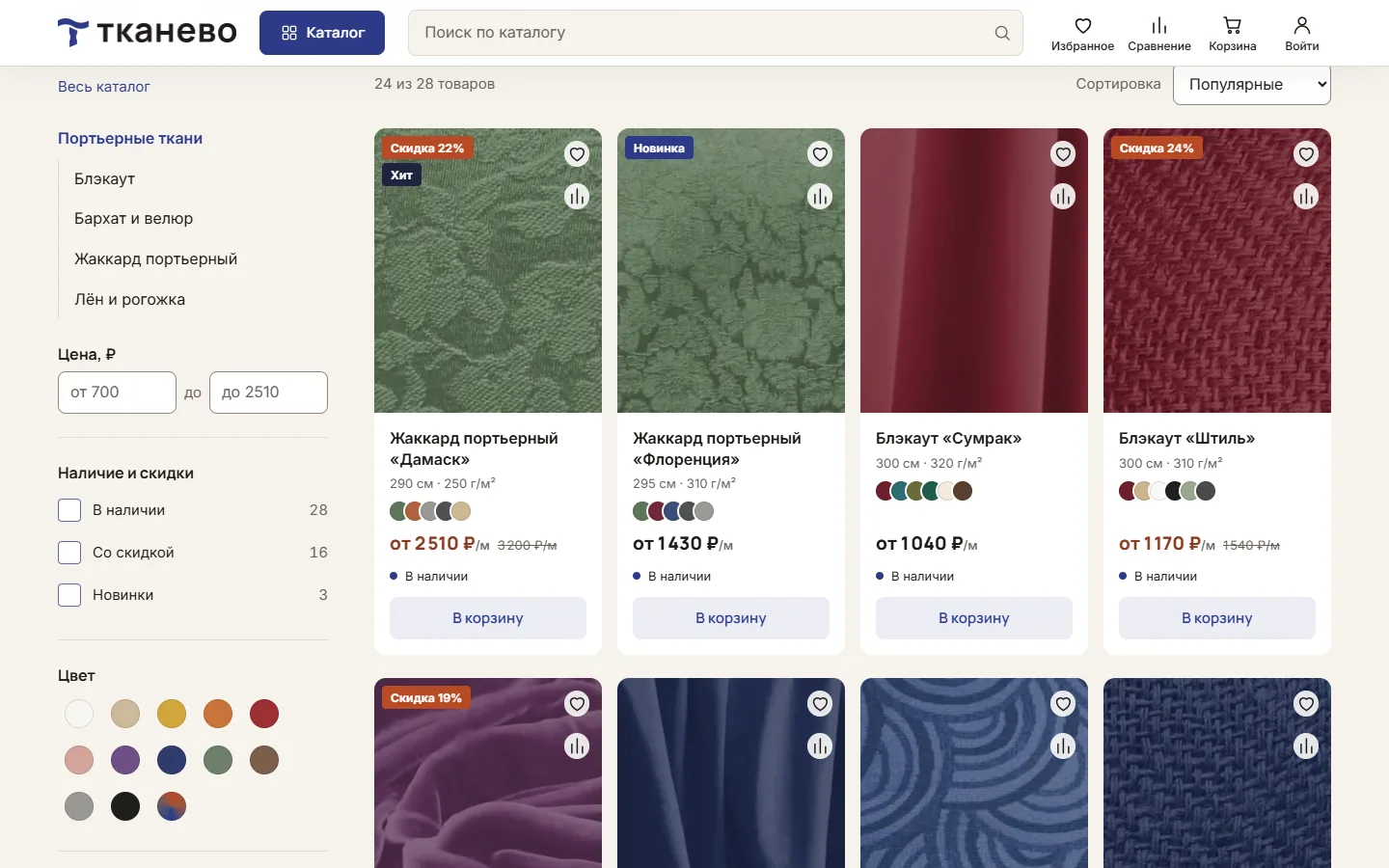
A catalogue section: filters by price, stock, discount, new arrivals and colour, then composition, purpose, pattern, properties, country, density and width. The counts next to the values update with every choice.
03screenshot
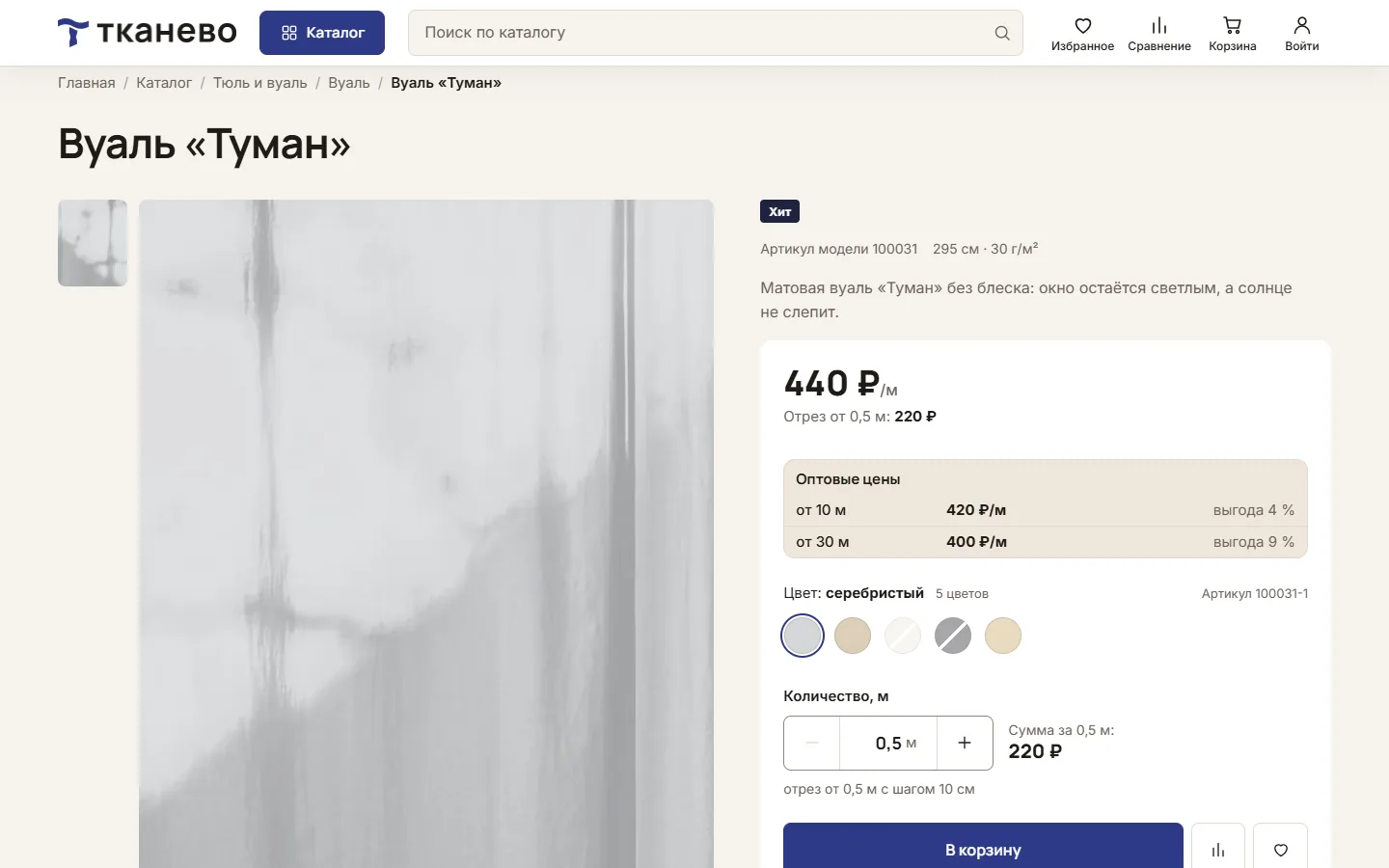
A fabric page: colours with their own SKUs, wholesale prices by quantity, a cut from 0.5 m in 10 cm steps and the total for the chosen length.
04screenshot
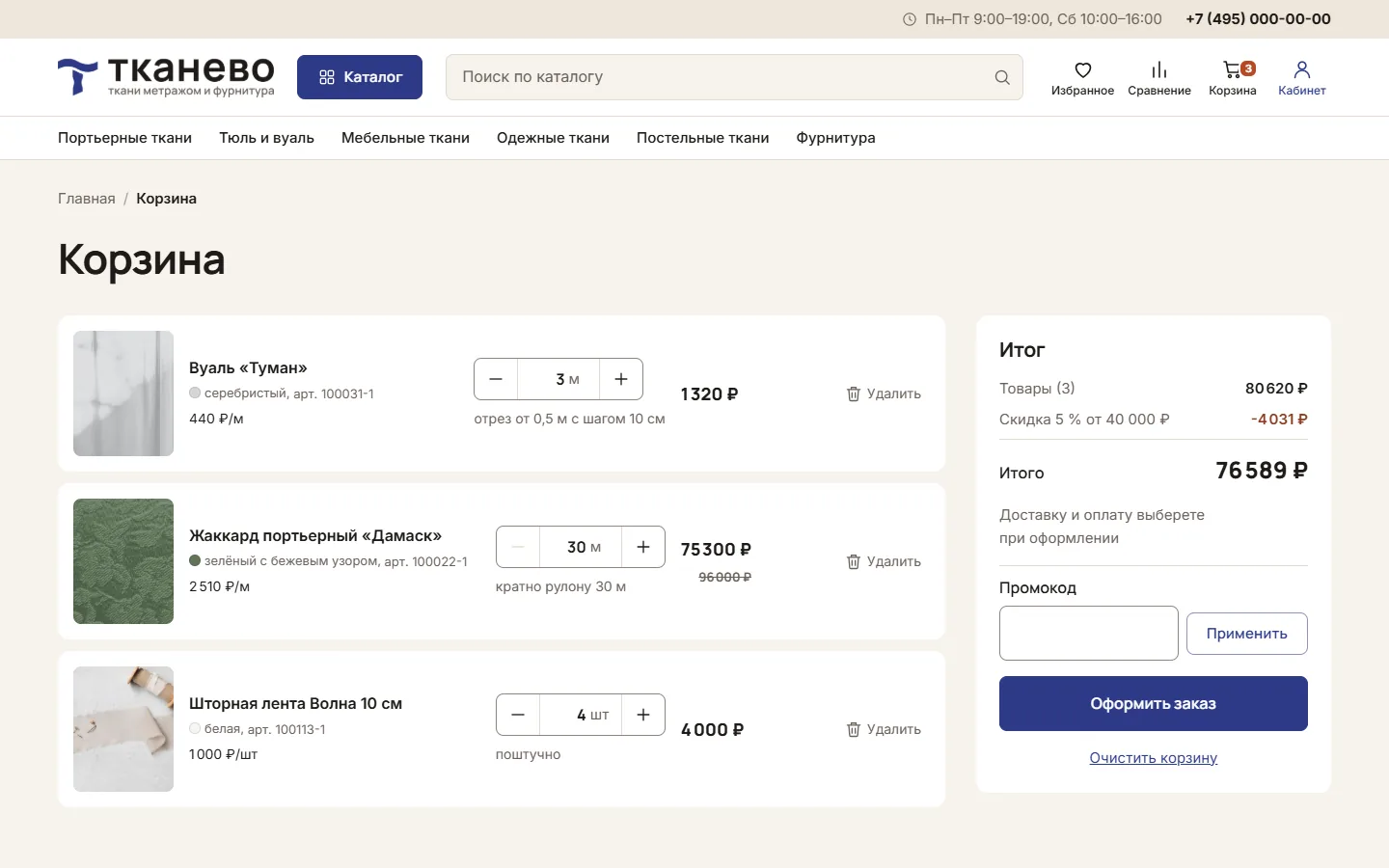
The cart: a cut, a roll and a piece item in one order. The discount on the order total applies at once; the cut step and whole rolls are enforced.
05screenshot
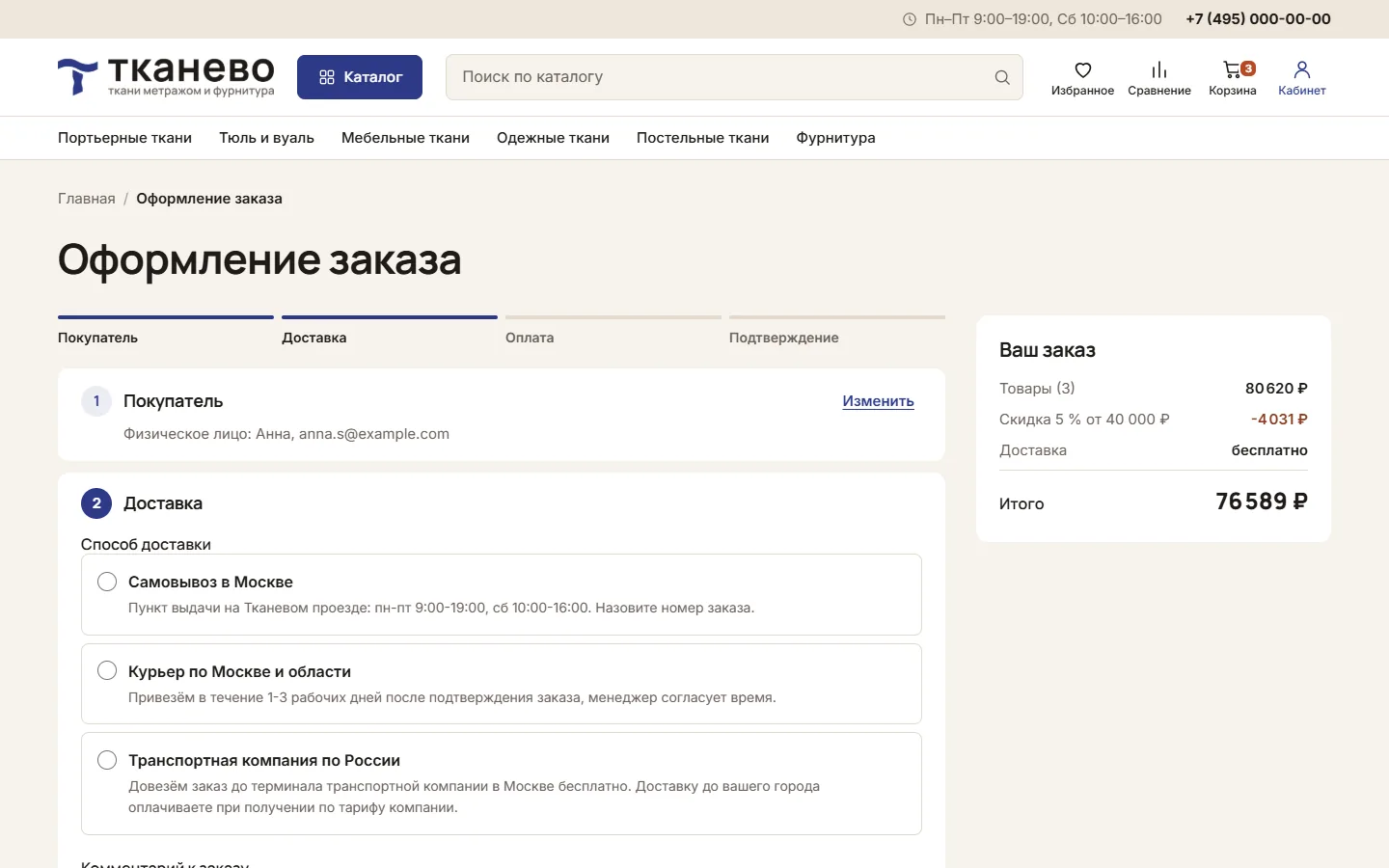
Checkout in steps: buyer, delivery, payment, confirmation. Delivery: pickup from a warehouse, courier by zone or a carrier.
06screenshot
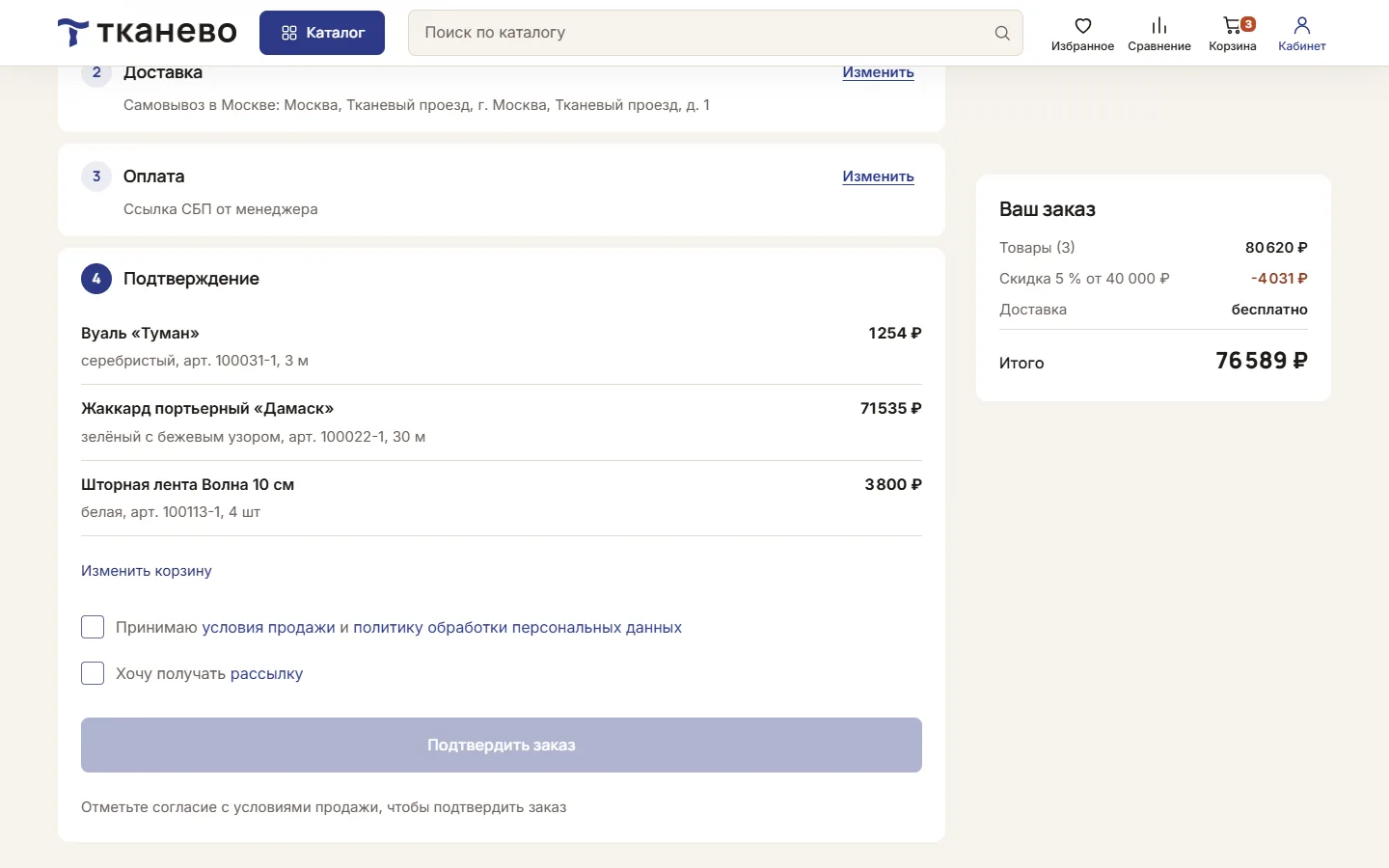
Order confirmation: the items with discounts, the delivery and payment choice, and consent to the terms of sale and the personal data policy.
07screenshot
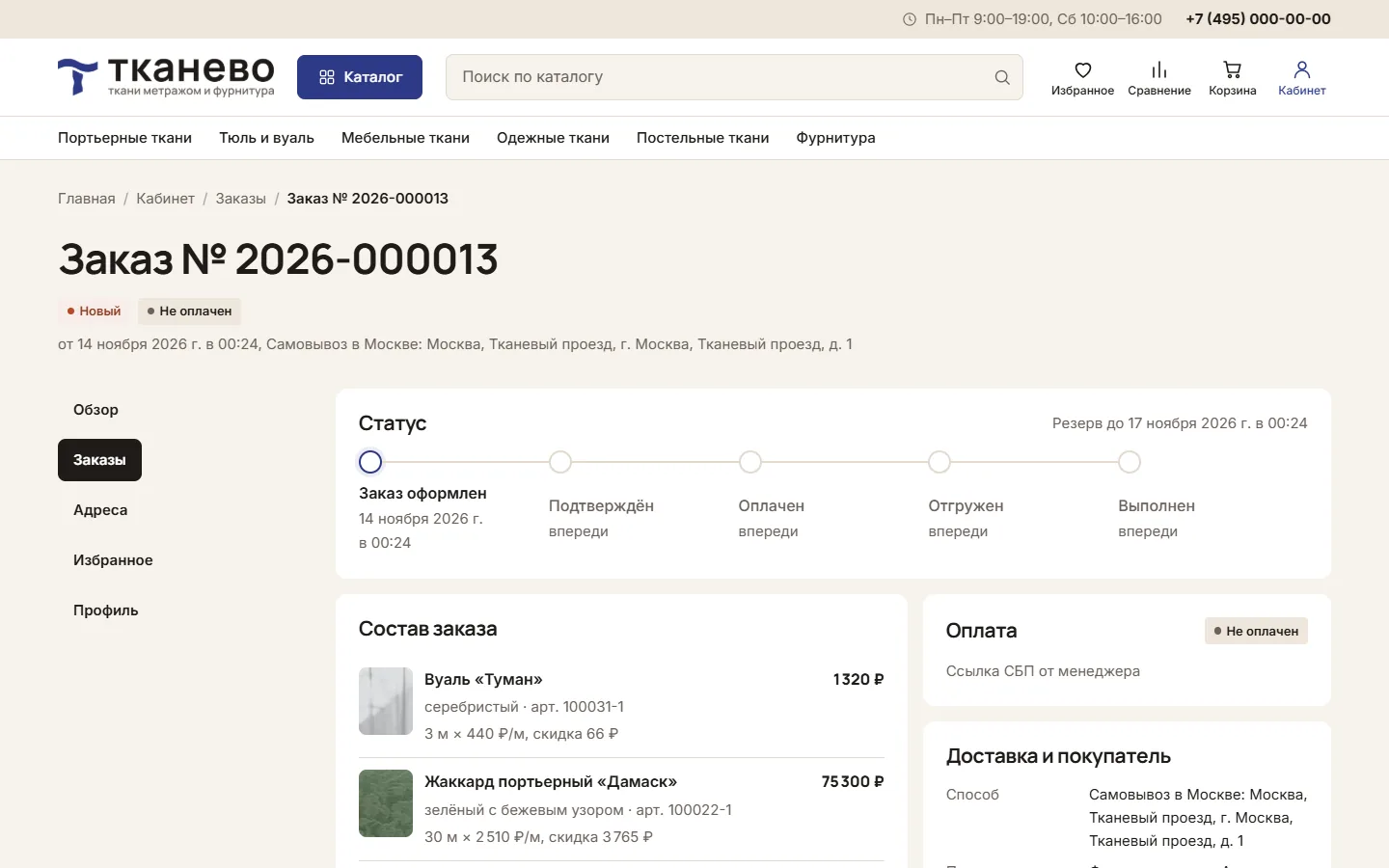
The customer account: an order with its status step by step, the reservation date, the items and the payment. Next to it: addresses, favourites and the profile.
08screenshot
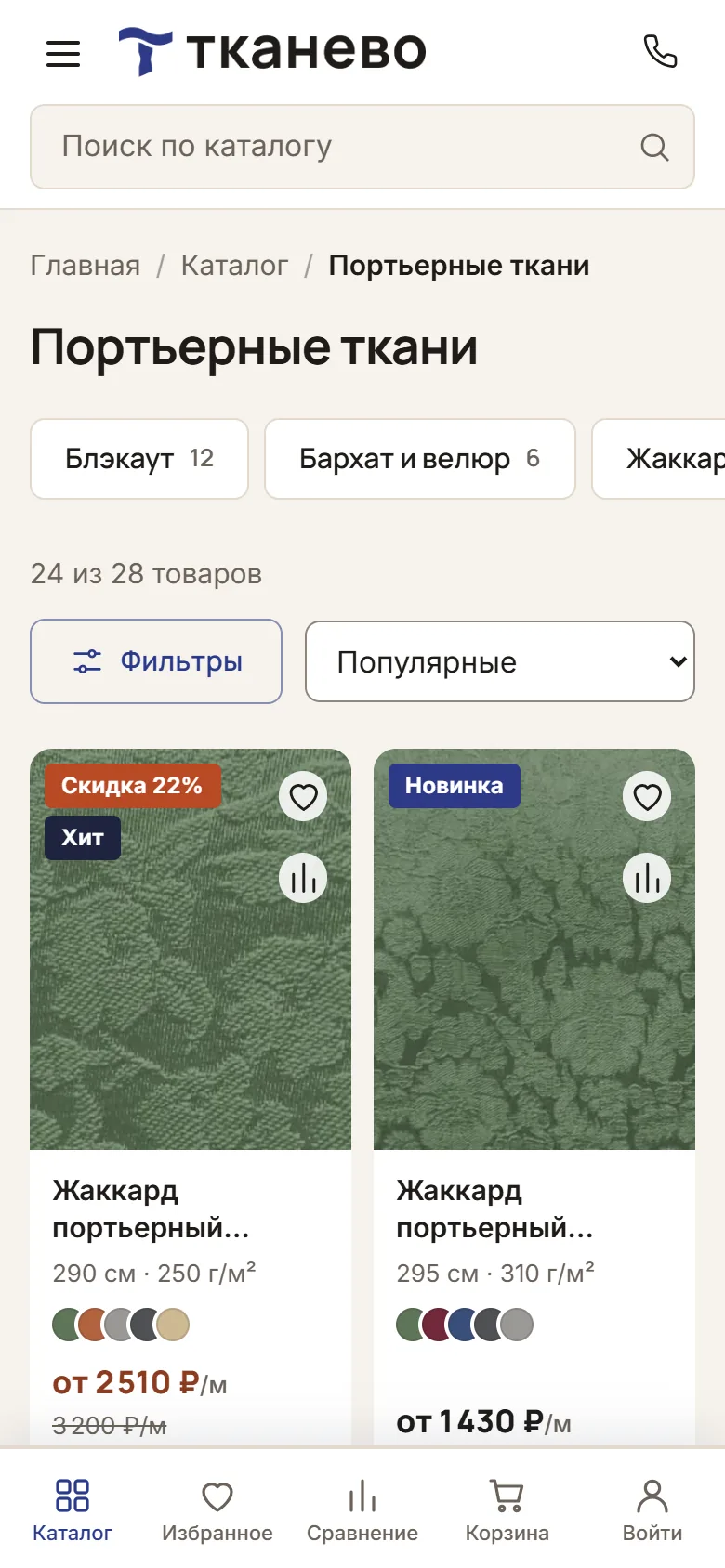
On a phone: the catalogue, with the filters in a separate panel and a bottom bar with the cart.
09screenshot
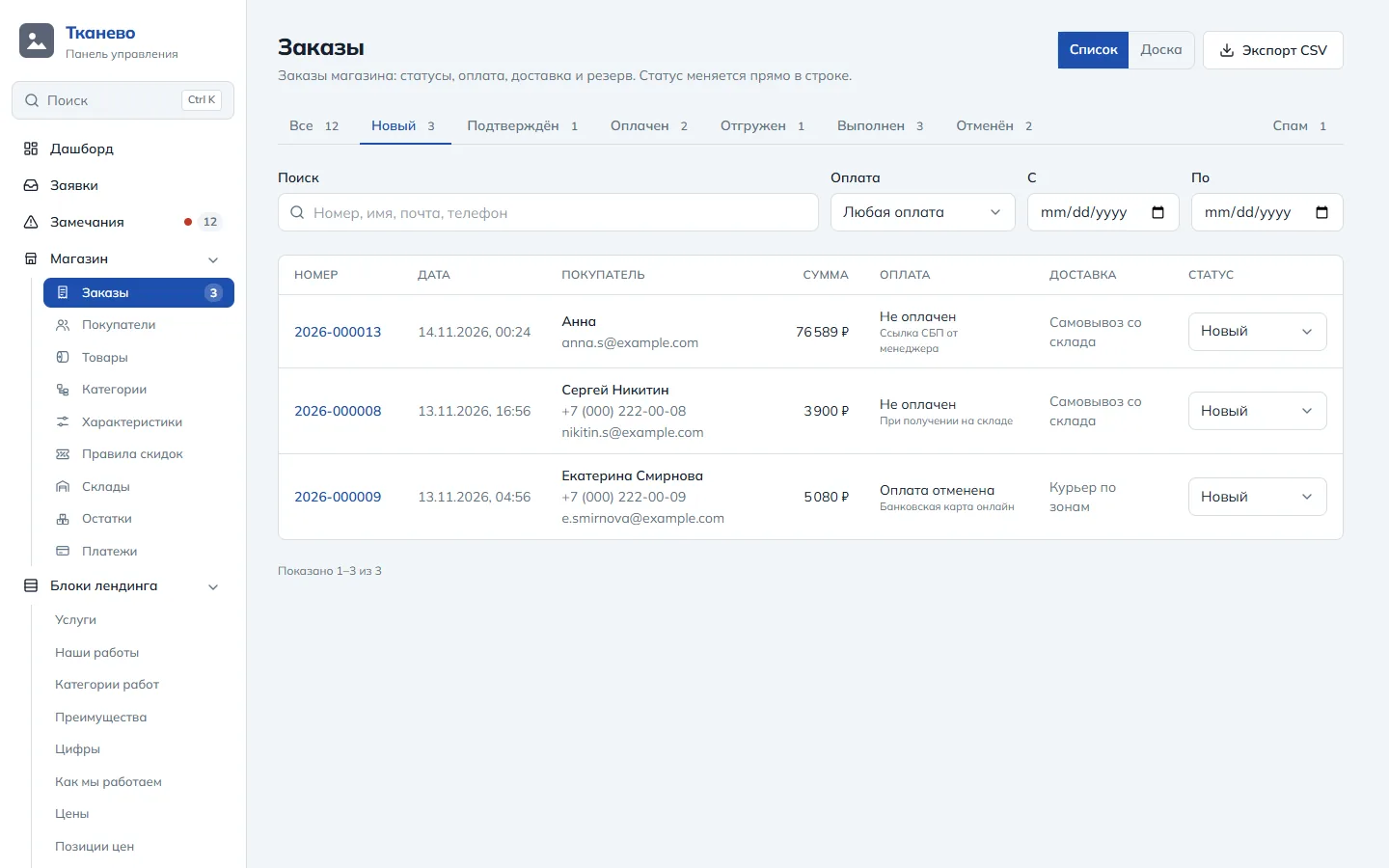
The panel: orders by status, payment and delivery in each row, search, filters and CSV export. The status changes right in the list.
10screenshot
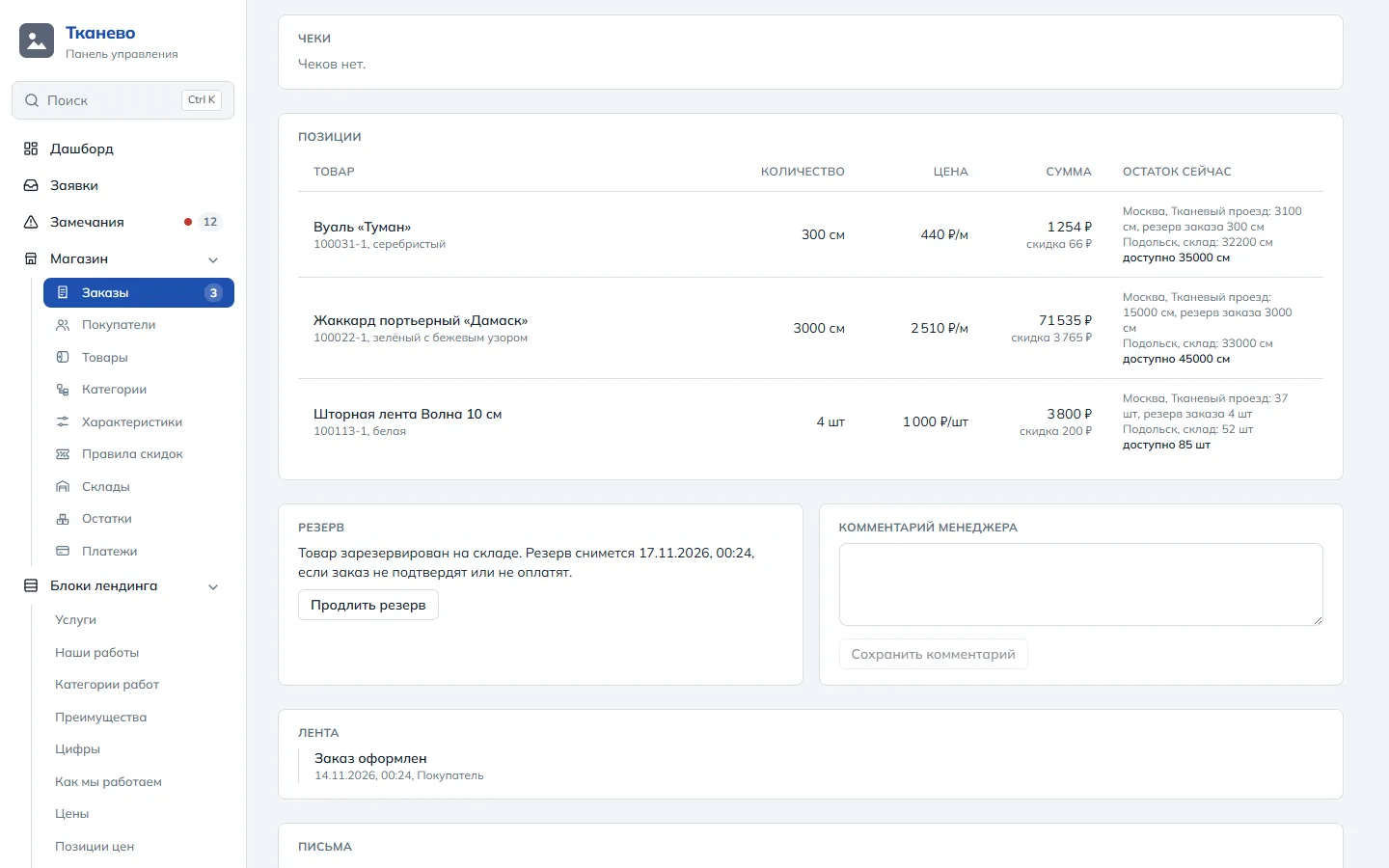
An order: its items with the stock in each warehouse, the reservation date, receipts, the manager's comment and the event feed.
11screenshot
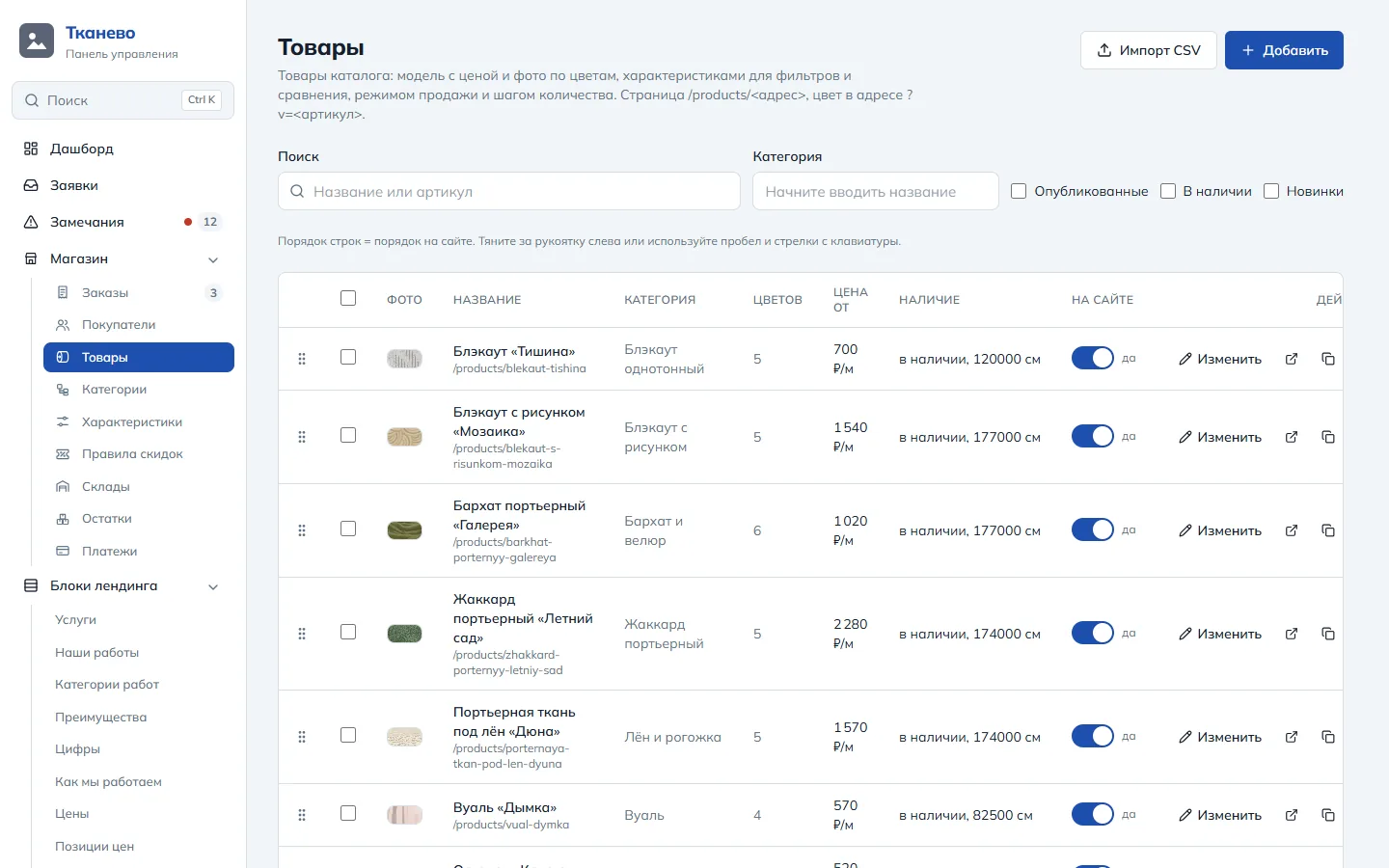
Products: photo, category, number of colours, «from» price and stock, publishing with a switch, CSV import. The order of the rows is the order on the site.
12screenshot
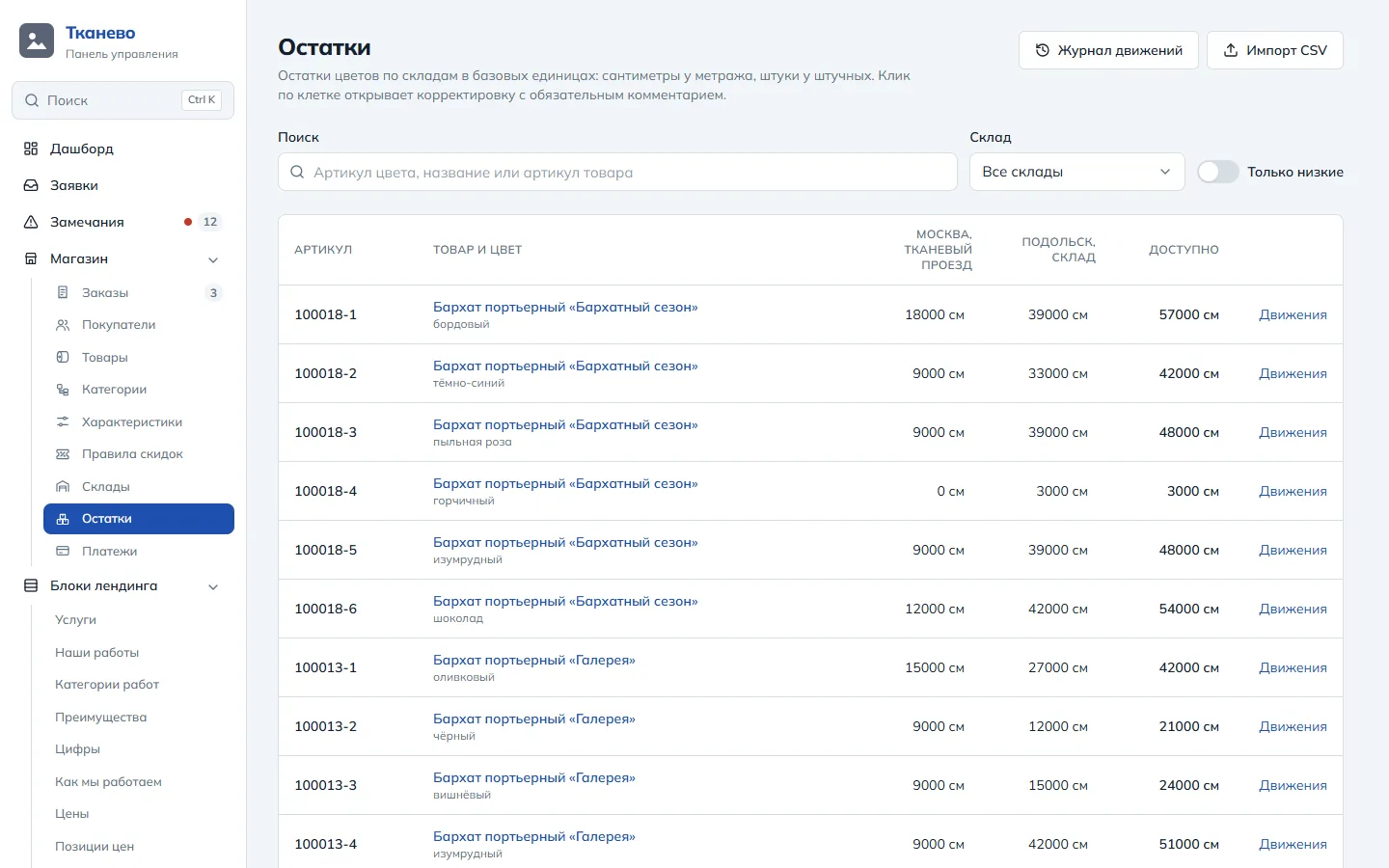
Stock: every colour by warehouse, in centimetres or pieces, a movement log, CSV import and a «low only» filter.
13screenshot
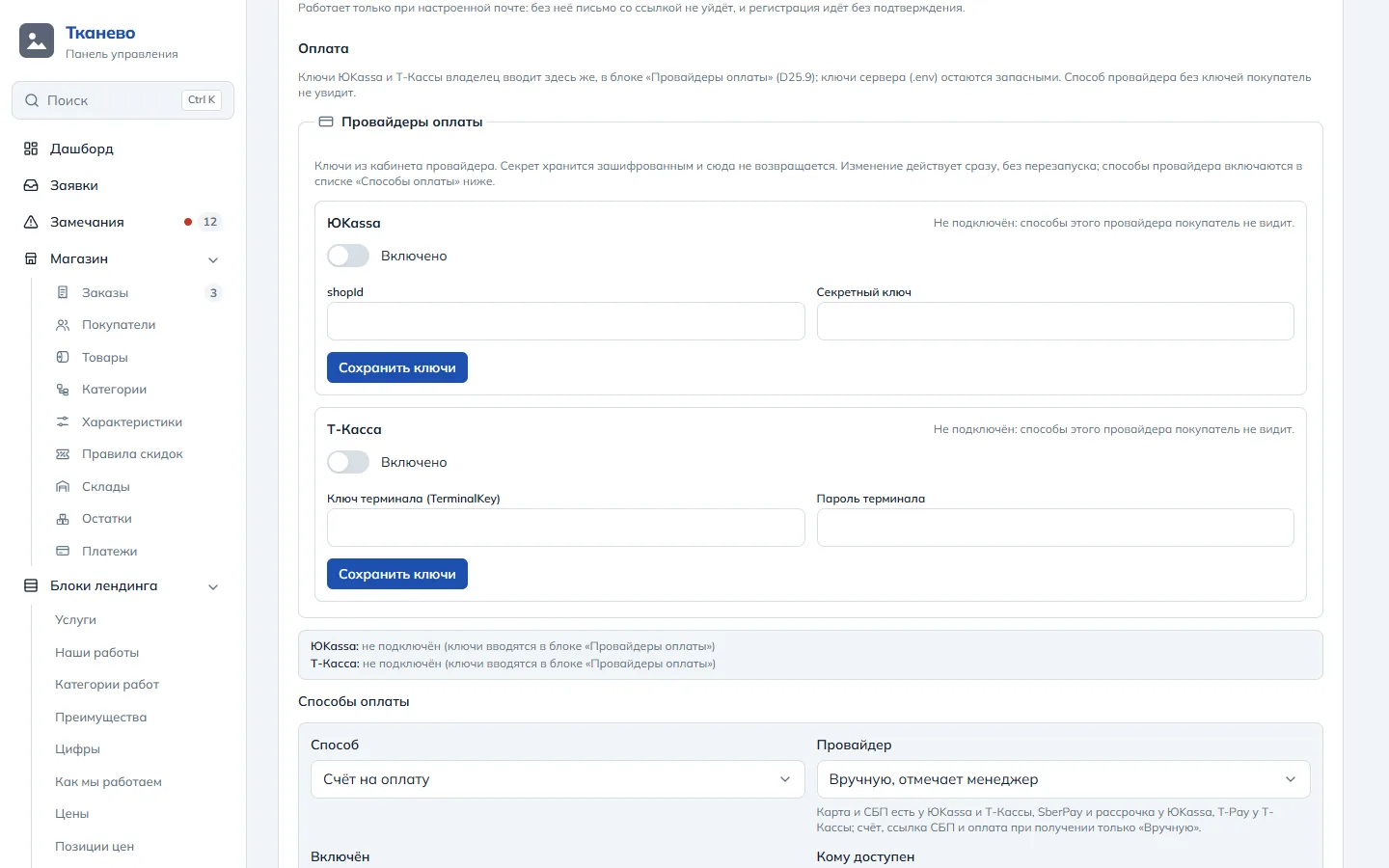
Payment settings: the owner enters the YooKassa and T-Kassa keys; the secret is stored encrypted and never shown again. Payment methods below.
—

What is in the catalogue

138

fabric and haberdashery models

110 are sold by length, as a cut or a roll, and 28 by the piece.

606

colours with their own SKU

Every colour has its own price, photo and stock in each of the two warehouses.

559

product and colour photos

Model covers, galleries and colour photos: all WebP, in the panel's media library.

47

categories in the tree

Six top-level sections. A category's address does not depend on its place in the tree: moving a branch breaks no links.

—

What the panel does

  1. 01

    Orders

    Statuses, history, comments, stock reservation, a printable invoice, emails to the buyer.

  2. 02

    Payments

    YooKassa and T-Kassa payments, two-stage payments with a hold, full and partial refunds.

  3. 03

    54-FZ receipts

    A prepayment receipt with the payment, the final settlement on shipping, a list of orders without a receipt.

  4. 04

    Catalogue

    Categories, products, colours, attributes, bulk actions and CSV import.

  5. 05

    Stock

    Stock by warehouse and colour, reservations, a movement log, a low-stock threshold.

  6. 06

    Discounts

    Discount rules and wholesale prices by quantity.

  7. 07

    Customers

    Each customer's account, addresses and orders.

  8. 08

    Content and SEO

    Pages, articles, promotions, FAQ, page titles and descriptions.

  9. 09

    Access

    Owner and editor roles, sign-in with a second factor.

An online store for you

Need a store you run yourself?

Tell us what you sell, how many products you have and how you take payments. We will prepare the catalogue structure, an estimate and a timeline.

A store on the Corexy platform: the shop module is an environment switch, with no client-specific code — Corexy