← All cases
Logistics · corporate website

A haulier’s website with a panel the client runs entirely themselves

AVTOCOM moves freight across Russia and the EAEU. They needed a corporate site — services, advantages, contacts, inbound requests — and, from then on, the ability to change copy, services and news without a developer. Live at transavtocom.ru.

What was needed

  • There was no site at all — enquiries arrived only by phone and email.
  • Eight freight directions, each needing its own explanation and its own search entry point.
  • Copy and services change often; going through a developer for that is slow and expensive.
  • A Russian company collecting personal data: consent and retention are legal requirements, not a checkbox.
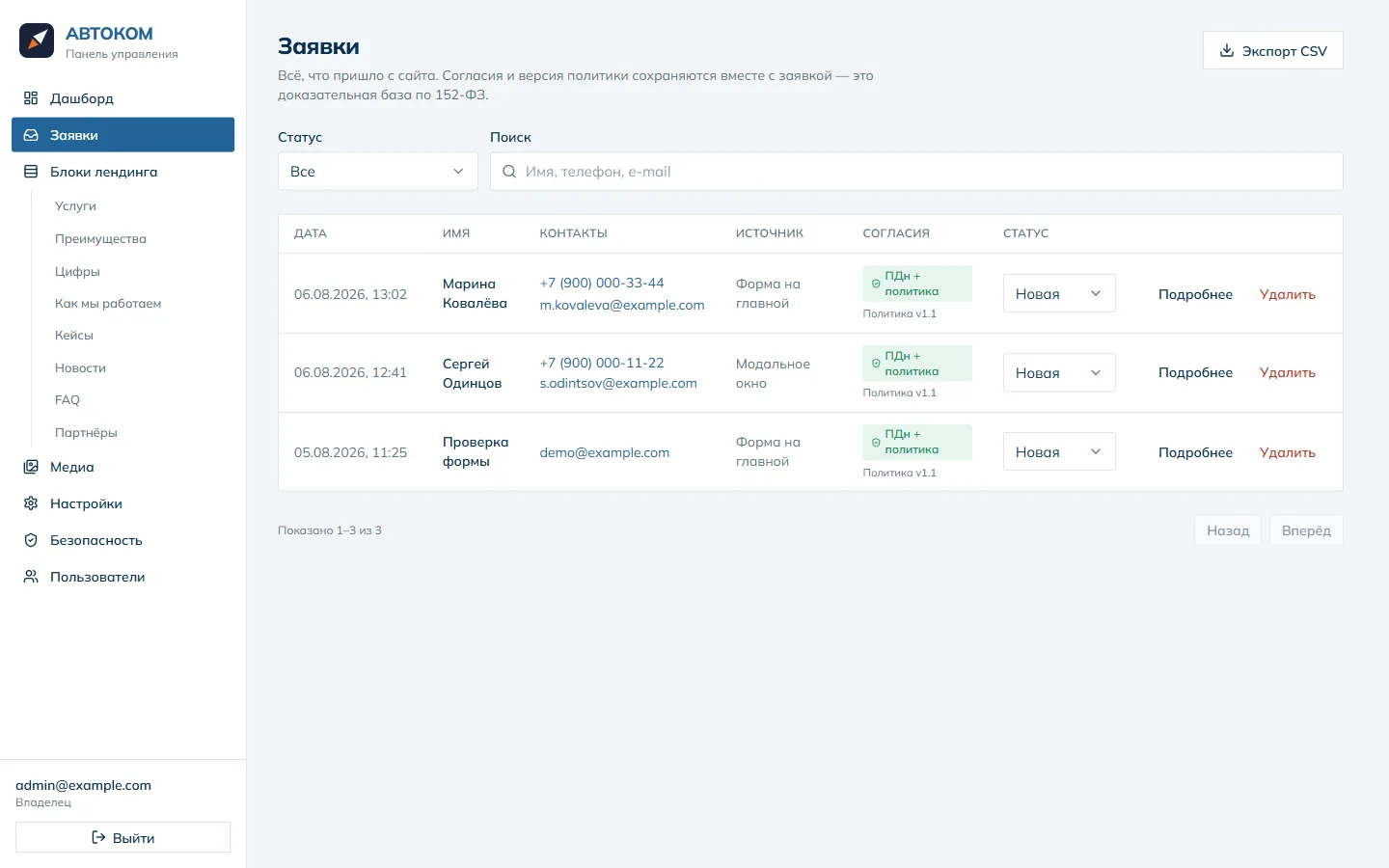
  • Enquiries must not get lost: a list with source, status and handling history.

What we built

  • A one-page site plus standalone pages for services, cases and news — each with its own URL and SEO fields, ready to be indexed.
  • An admin panel on its own subdomain: services, advantages, figures, cases, news, FAQ, partners, contacts and company details.
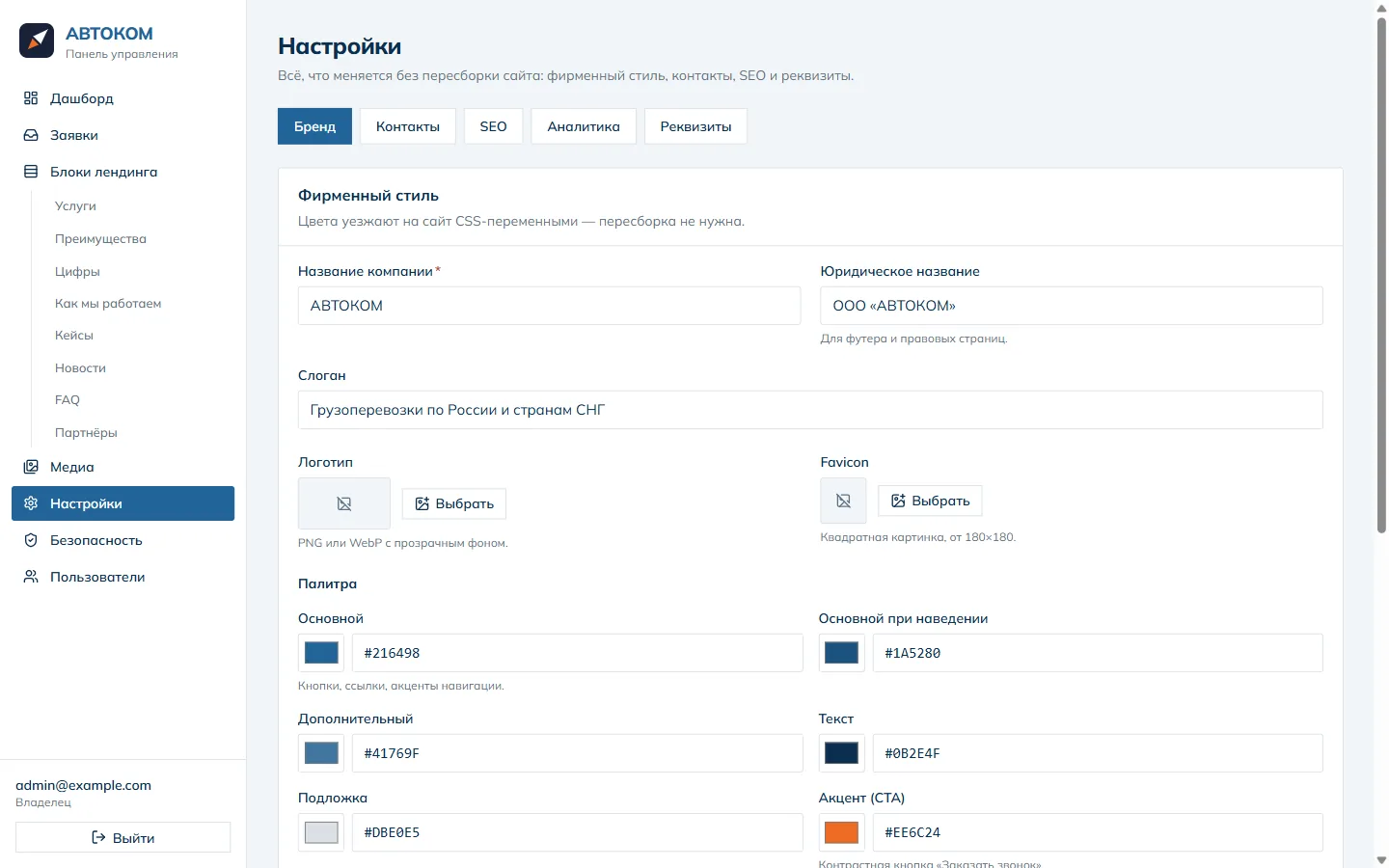
  • Branding is editable from the panel — logo, favicon and the whole palette, with no rebuild.
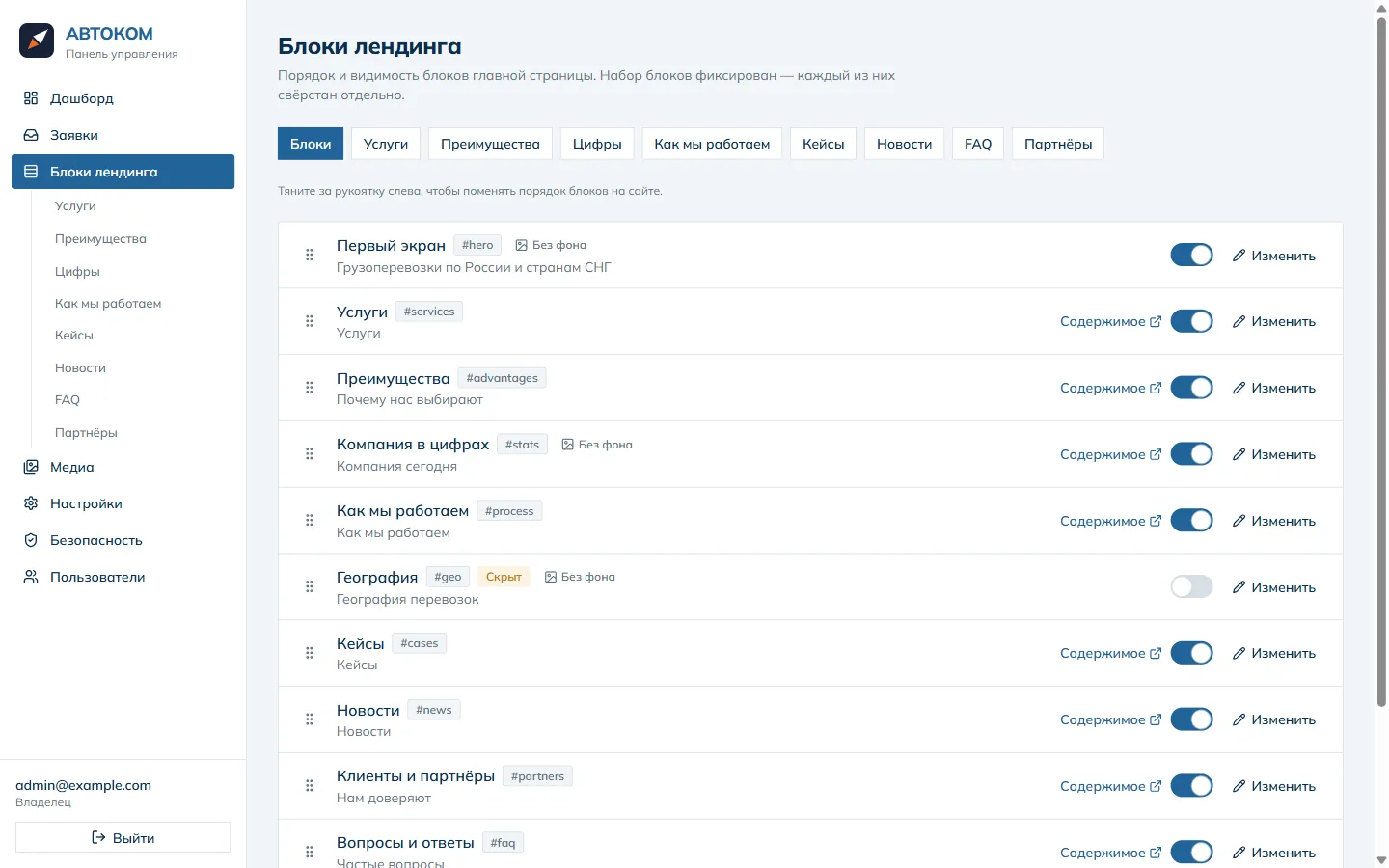
  • Block order on the home page changes by dragging; anything unwanted hides behind a toggle.
  • A lead form with two consents; the policy version, IP and timestamp are stored with the lead as evidence.
  • Retention is executed rather than declared: once the term expires the lead is anonymised automatically.
  • The Yandex map loads only after the visitor explicitly allows it.
  • Panel sign-in is protected by a second factor — a code from a phone app.

What it looks like

The public site first, then the panel the client edits it from.
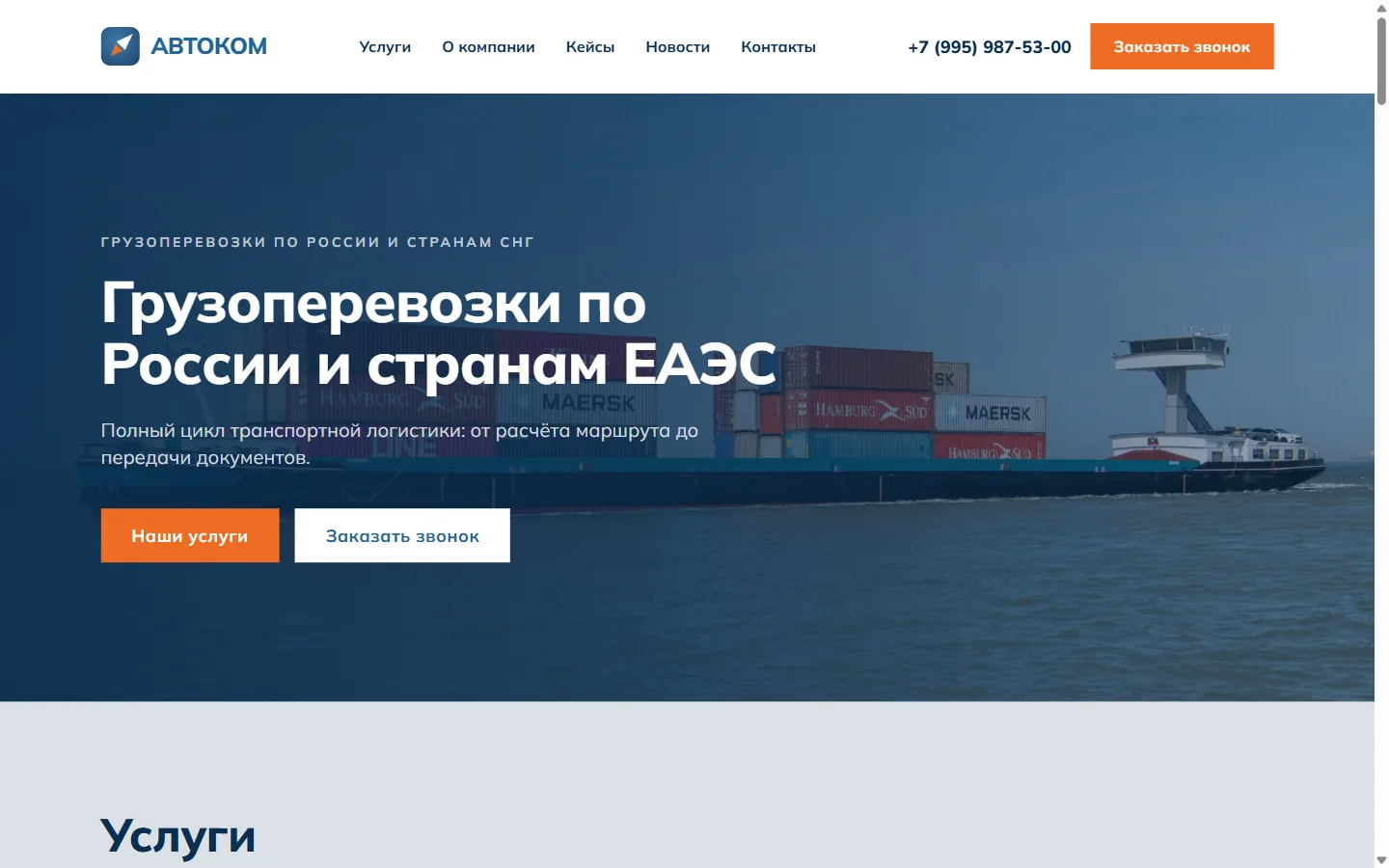
01screenshot
Hero: the offer, a phone number and two calls to action. Background, headline and button labels are editable from the panel — the layout stays fixed.
02screenshot
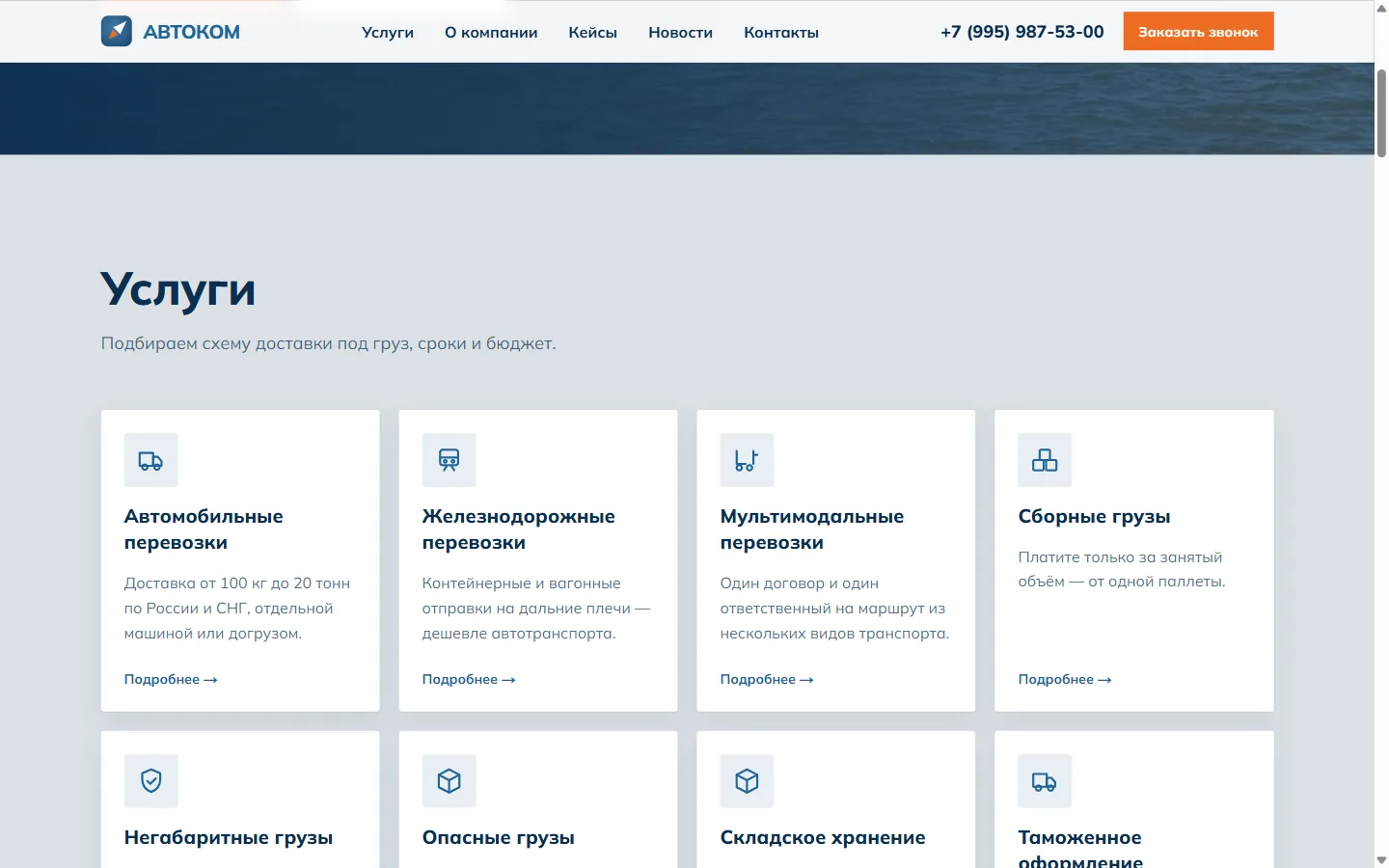
Eight services as cards. Each is a page of its own with its own URL, heading and copy; indexing is switched on once the content is final.
03screenshot
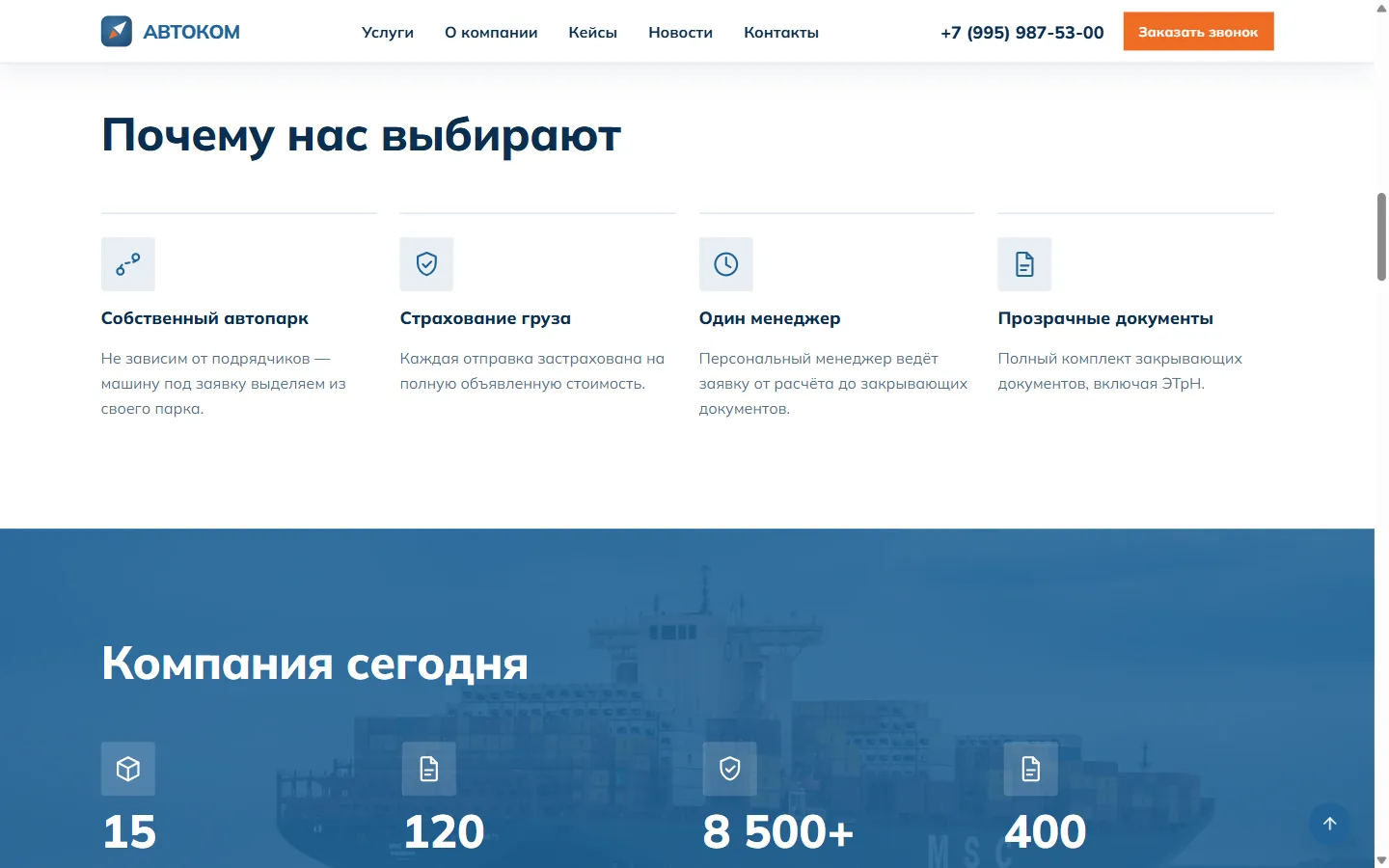
Advantages and the “company today” figures. The numbers are ordinary database rows; the block background is a checkbox.
04screenshot
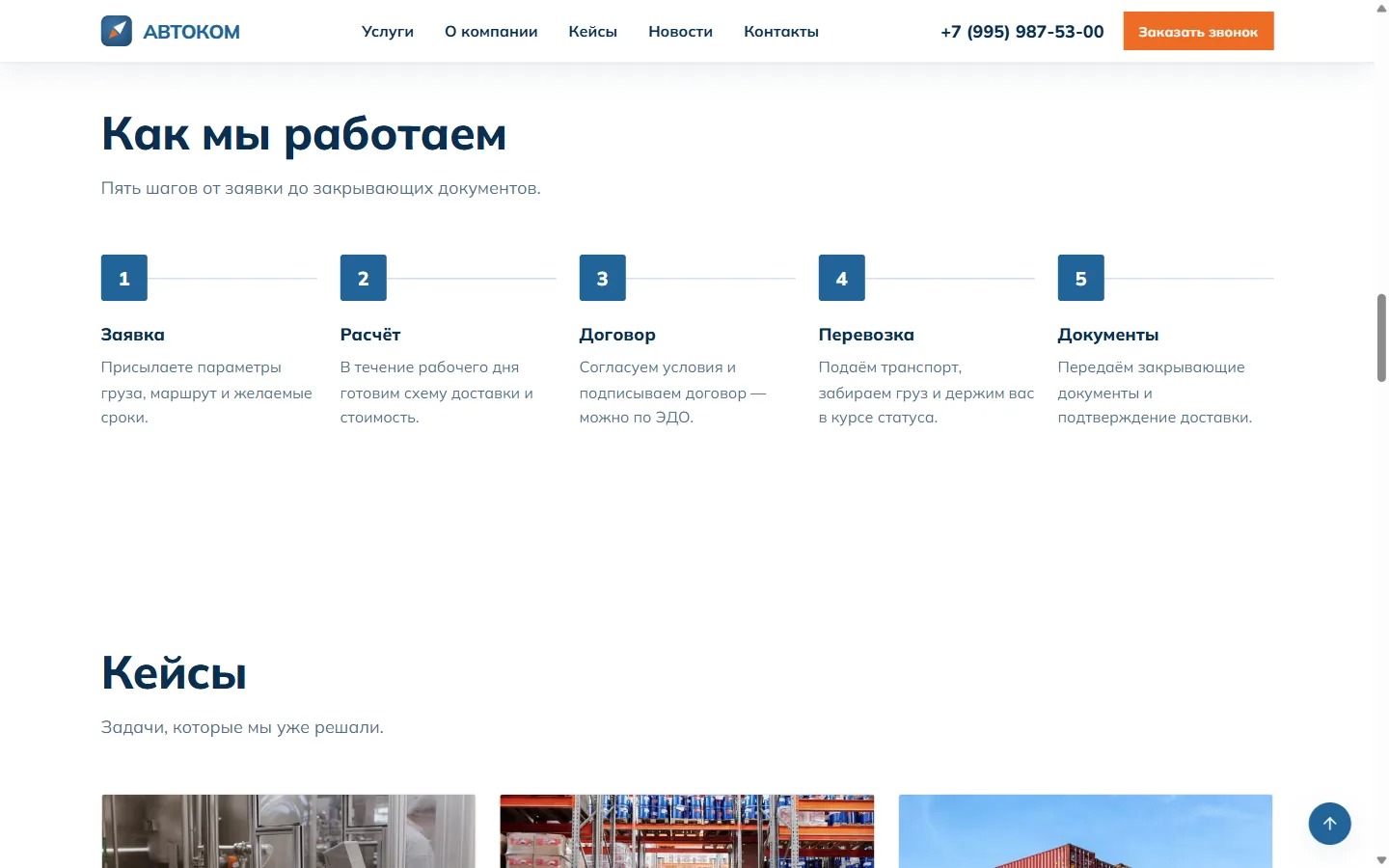
Five-step process and the cases block. Step order is set by dragging rows in the panel.
05screenshot
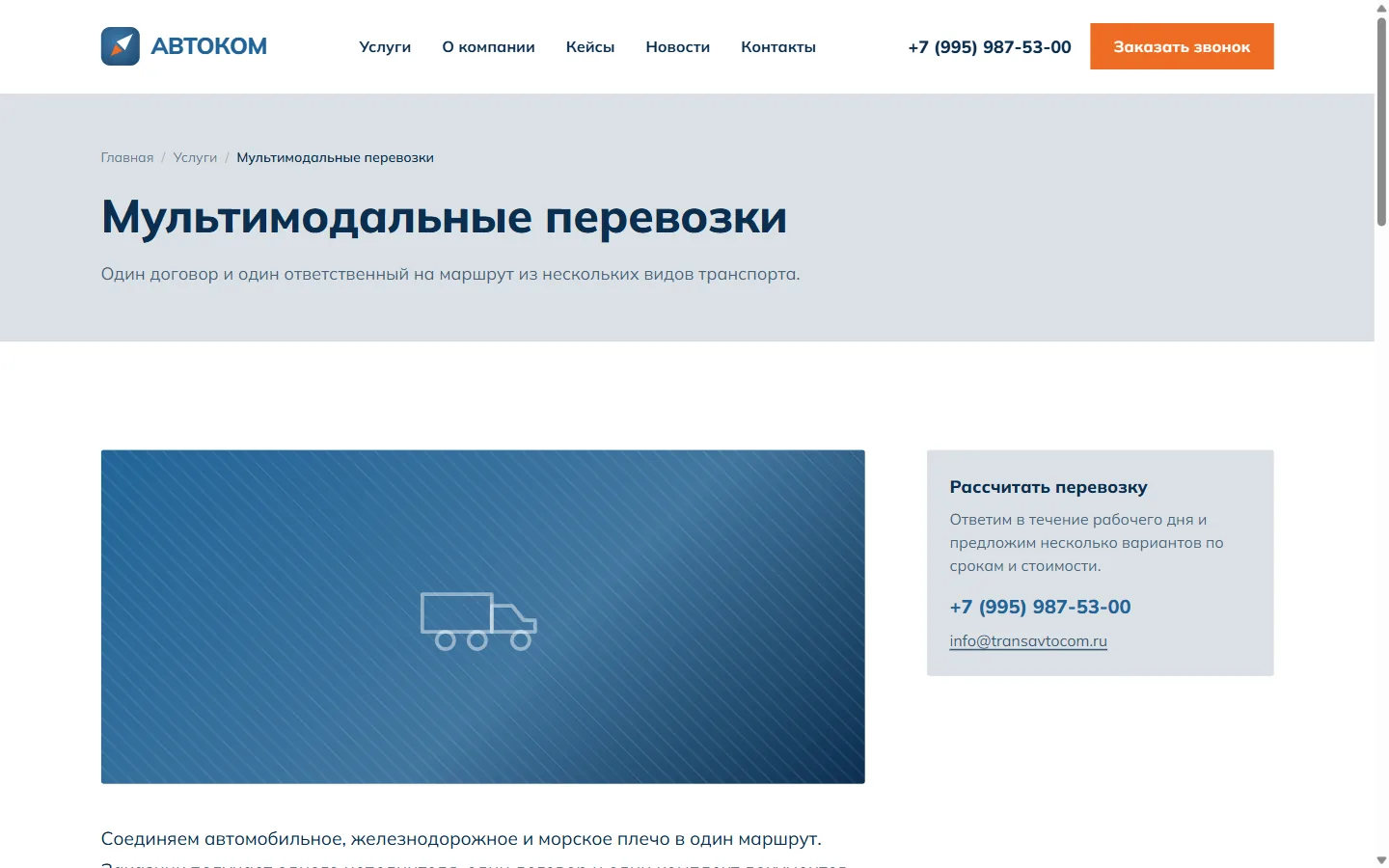
Service page: breadcrumbs, body copy, a sidebar CTA. URLs like /services/multimodalnye-perevozki with their own title and description.
06screenshot
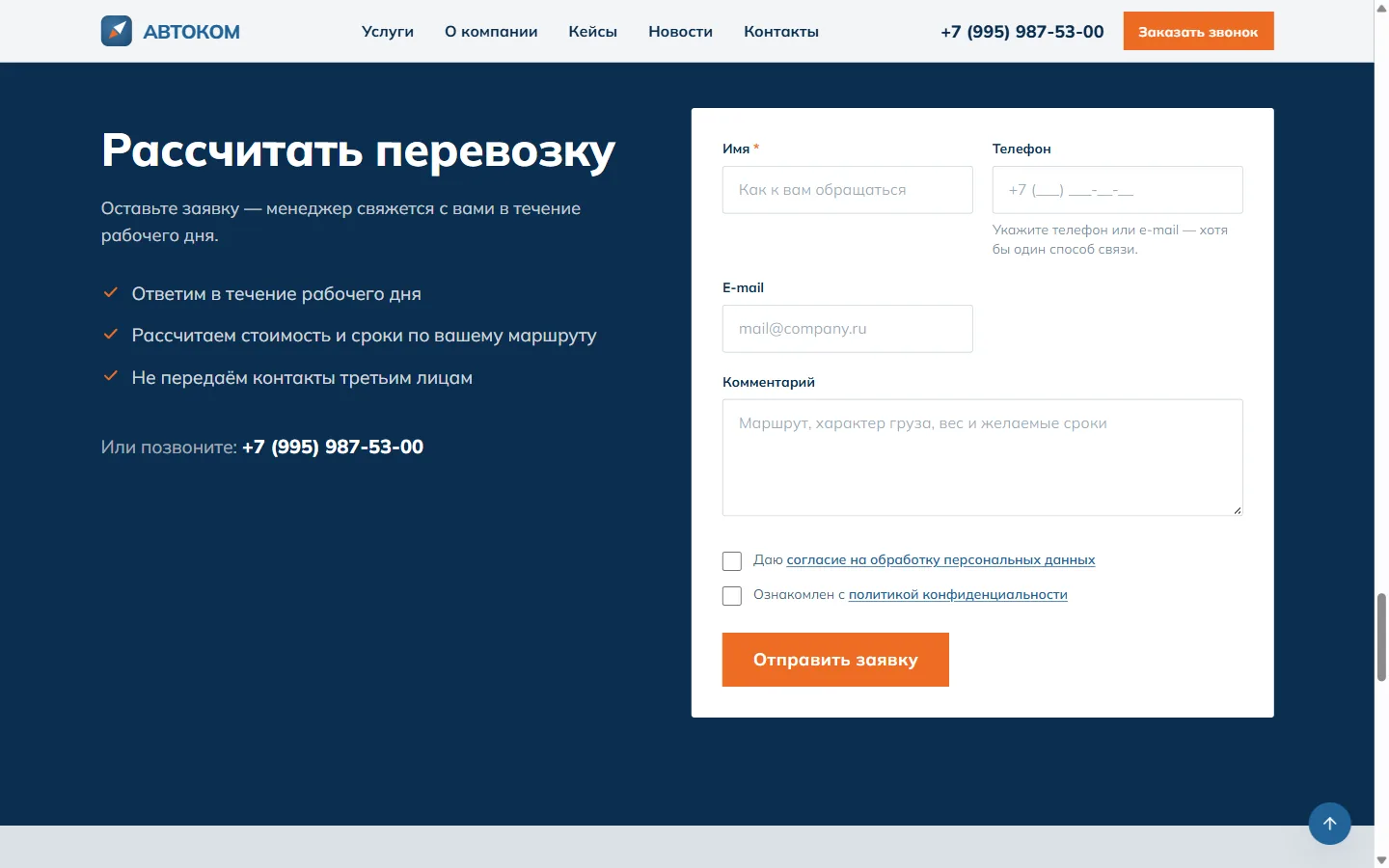
Lead form. Two mandatory consents — data processing and the privacy policy; the policy version in force at submission is stored with the lead.
07screenshot
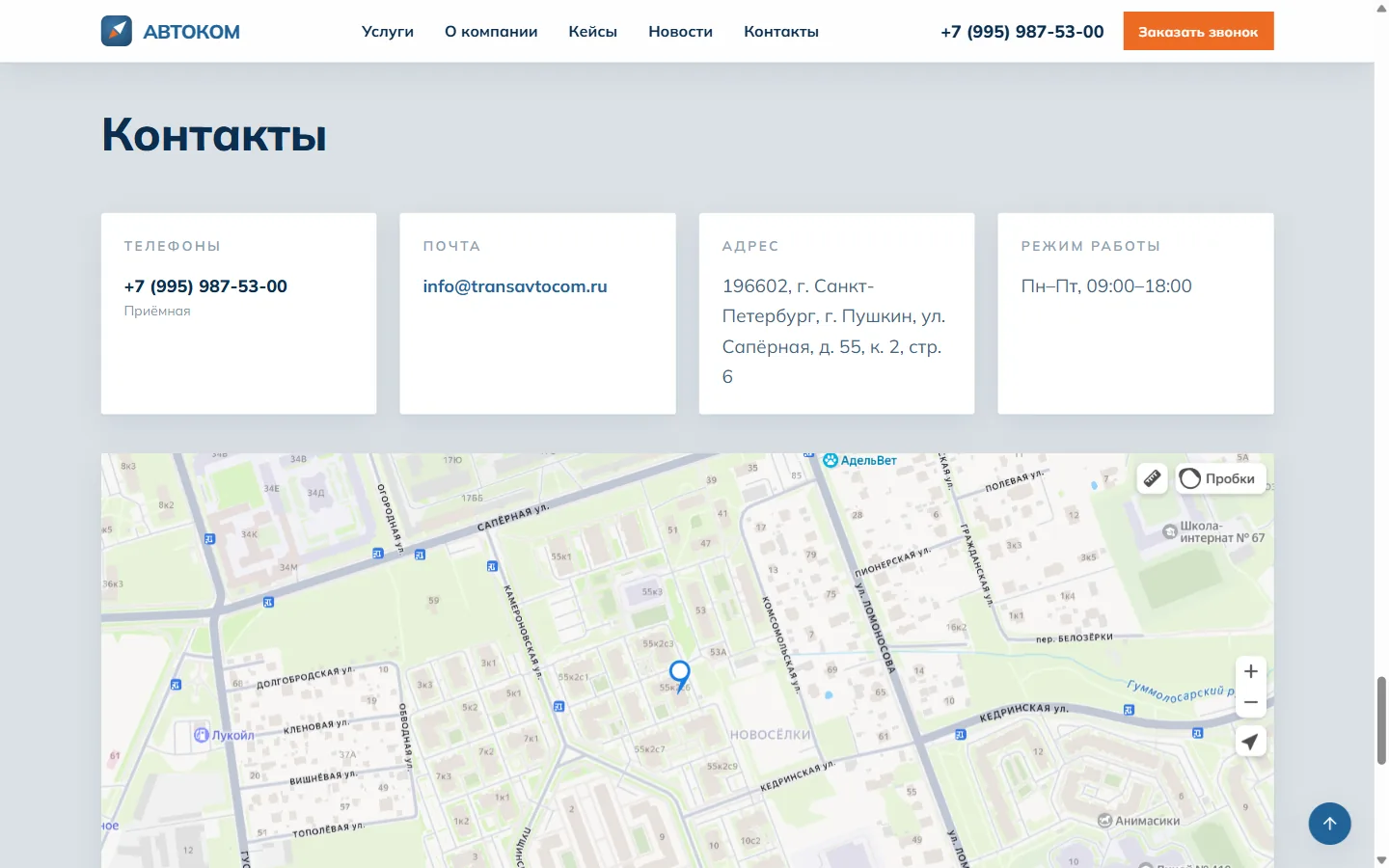
Contacts and map. The Yandex map does not load until the visitor allows it — before consent no request leaves for a third-party domain.
08screenshot
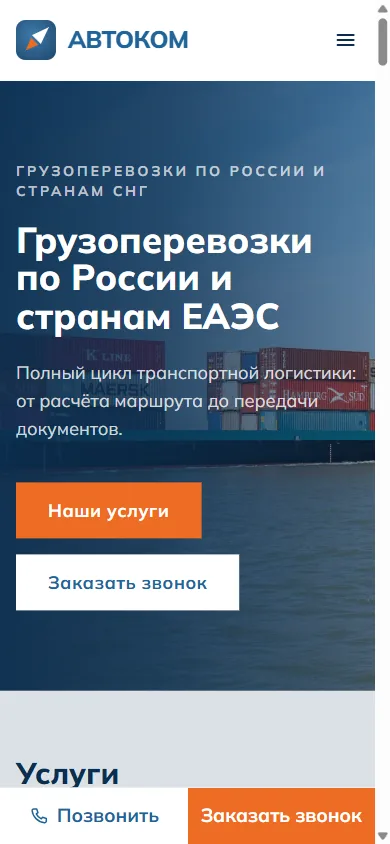
Mobile: the same layout plus a pinned bottom bar with call and request actions.
09screenshot
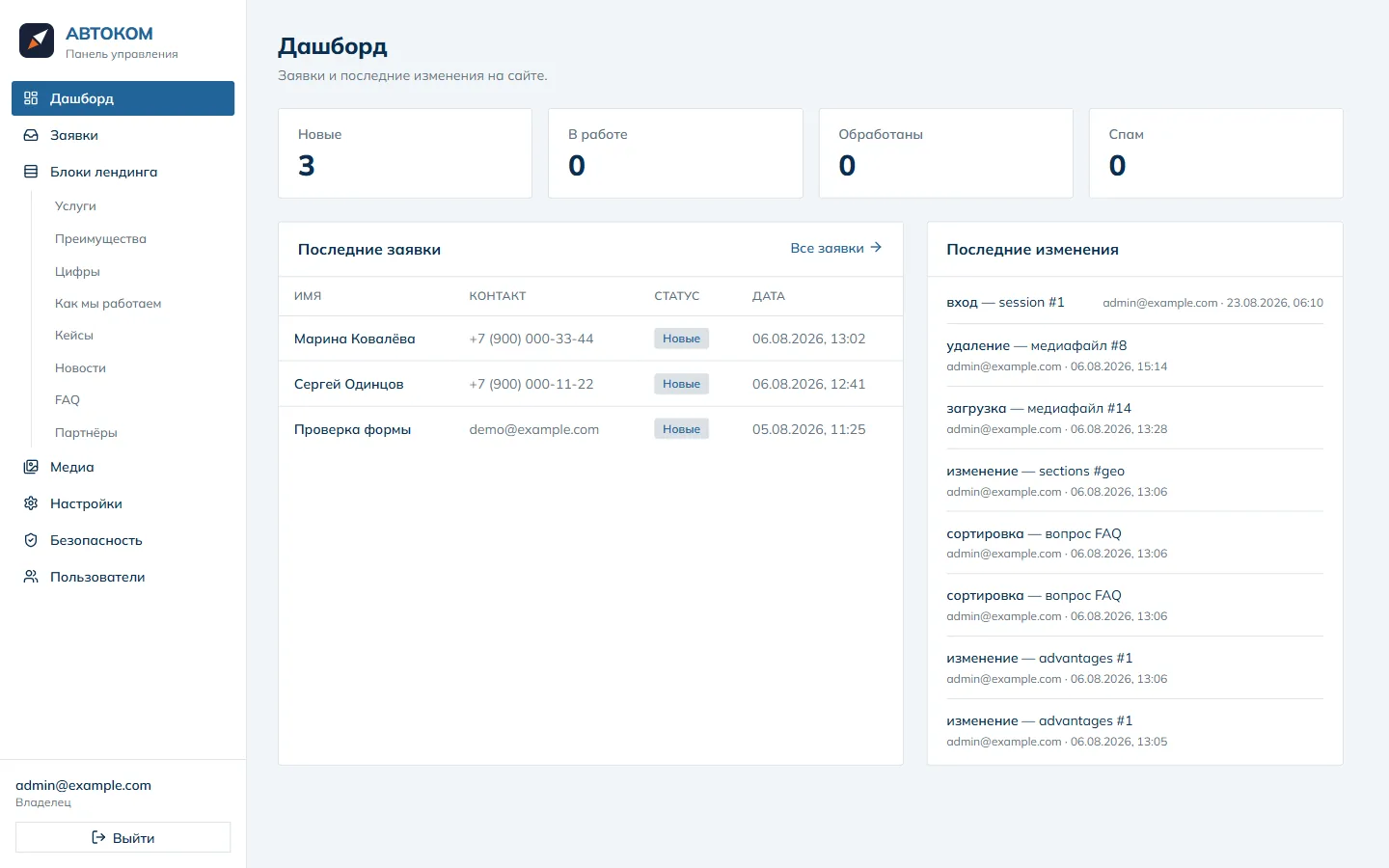
Panel: leads by status and a log of recent edits — who changed what on the site.
10screenshot
Landing blocks: reorder by dragging, hide any block with a toggle. The set of blocks is closed — each one is laid out individually.
11screenshot
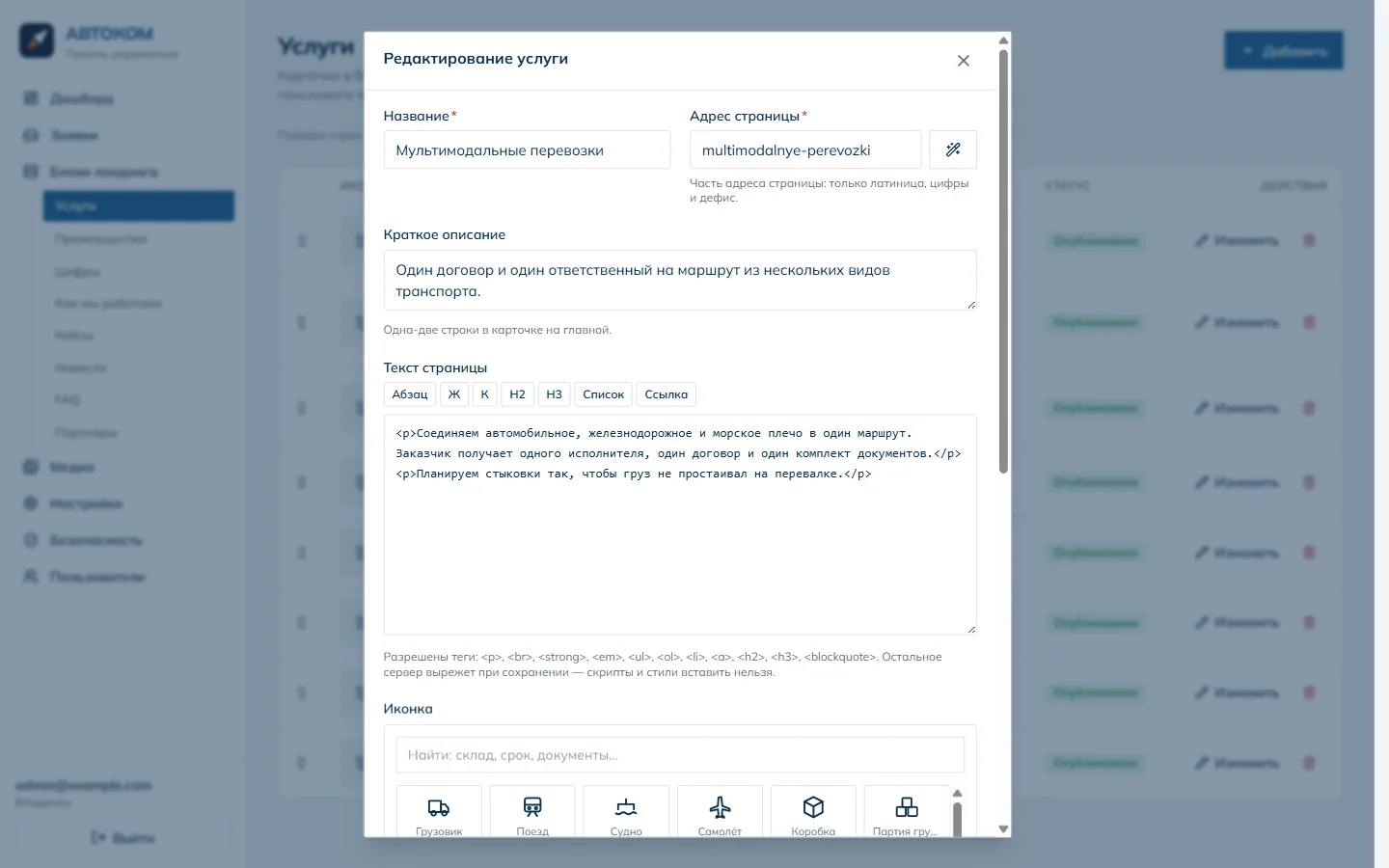
Service editor: page URL, body copy limited to a safe tag set, icon picker with search. Anything not allowed is stripped by the server on save.
12screenshot
Branding: logo, favicon and palette. Colours reach the site as CSS variables — no rebuild required.
13screenshot
Leads: source, status, recorded consents and policy version, CSV export. This is the evidence trail Russian data-protection law asks for.
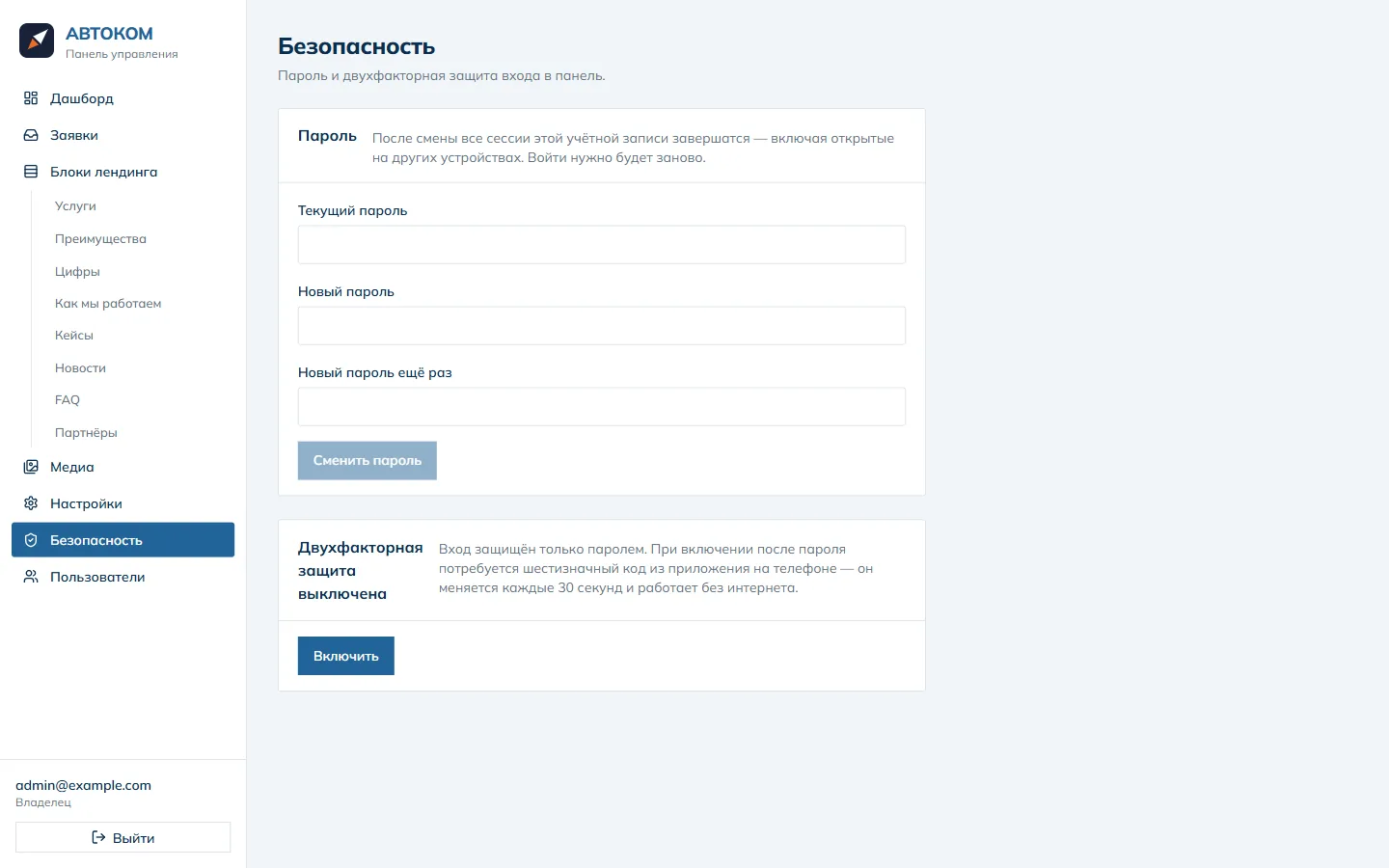
14screenshot
Panel sign-in: changing the password ends every session; the second factor is a code from a phone app that works offline.

What came out of it

8

service pages with their own URLs

Each with its own address, title and description. Indexing is one switch in the panel — until the copy is final the site stays deliberately closed to search engines.

0

developer requests for copy changes

Everything on the site, colours and legal details included, is edited from the panel.

100%

of leads with recorded consent

Policy version, IP and timestamp are stored alongside every submission.

15 min

to stand the stack up from scratch

Three commands bring up the whole thing — on a new server or at a new contractor.

What the panel does

  1. 01

    Home-page blocks

    Reorder by dragging, toggle visibility, each block with its own heading and background.

  2. 02

    Services

    Eight directions: a card on the home page plus a standalone page with its own URL and SEO fields.

  3. 03

    Cases and news

    Publishing with dates, images and drafts — unpublished items never reach the site.

  4. 04

    Leads

    Source, status, recorded consents, search and CSV export.

  5. 05

    Branding

    Logo, favicon, palette and corner radii — applied without a rebuild.

  6. 06

    SEO and analytics

    Page titles and descriptions, Yandex Metrica, webmaster verification.

  7. 07

    Company details

    Legal entity, tax number, address and phones — injected into the footer and the legal pages.

  8. 08

    Media

    Image upload with automatic WebP conversion; SVG is rejected on purpose.

  9. 09

    Users and access

    Accounts are created from the panel; sign-in is protected by a second factor.

— the same for your company

Want a site you can edit yourself?

Tell us about the company and the services. We will come back with a structure, an estimate and a timeline in a couple of days.

Three services, a public container with no database password, and 520 tests — Corexy